
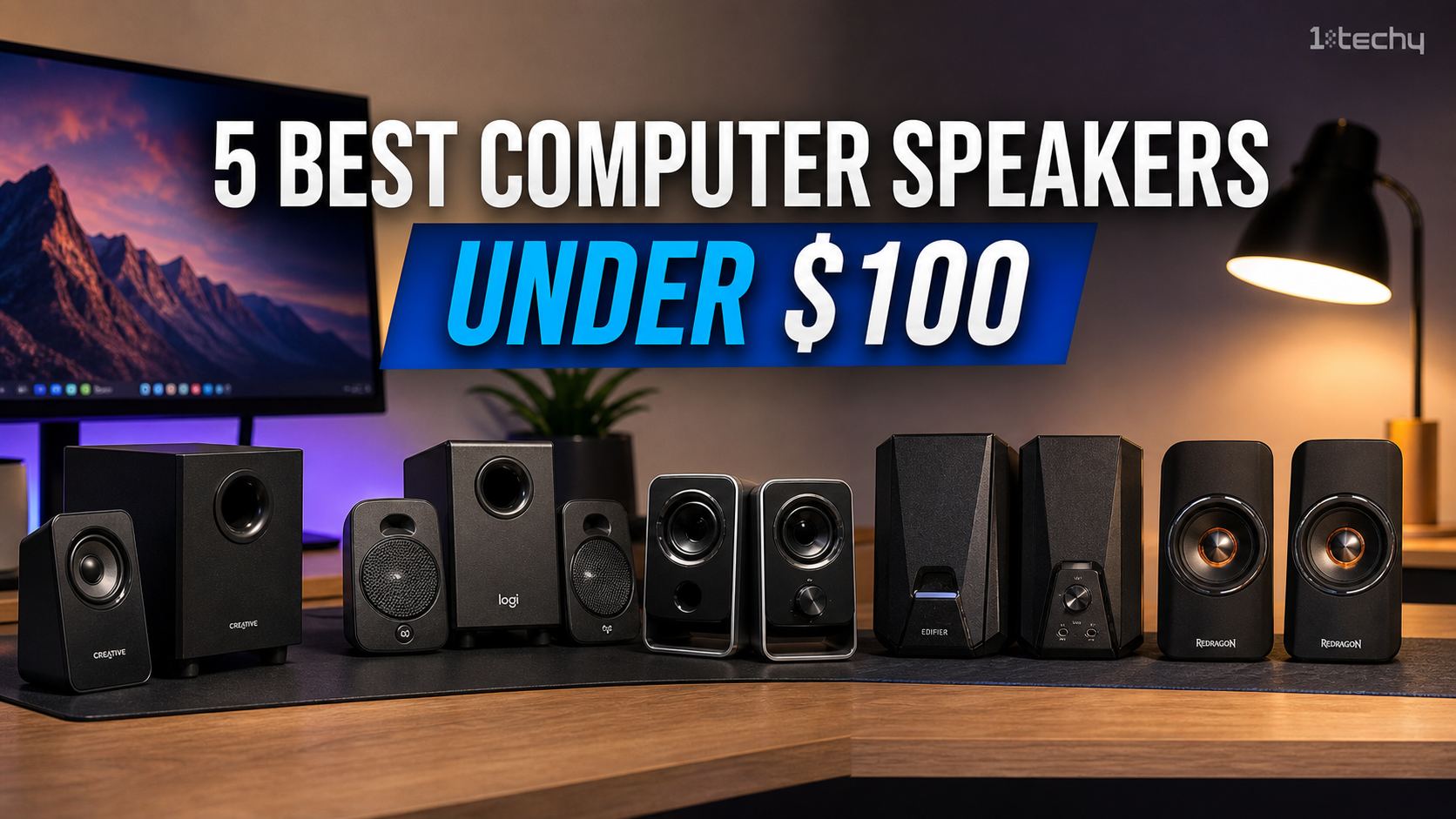
Built-in laptop speakers cannot physically produce the depth needed for a good audio experience. Relying on them for daily video calls and music usually results in a hollow, tinny sound that causes ear fatigue by noon. You need a dedicated setup, but the sub-$100 market is flooded with plastic junk.
Finding a reliable pair requires looking past marketing jargon. We focused on units that deliver clean mid-range frequencies, stable connectivity, and a footprint that makes sense for a standard workspace.
This guide is built specifically for the budget-conscious home office worker who wants to upgrade from laptop audio without venturing into expensive audiophile territory.
Quick Picks: Best Computer Speakers Under $100
- Best Overall: Logitech Z337 Bold Sound
- Best Budget: Creative Pebble Plus
- Best for Minimalist Desktops: Bose Companion 2 Series III
- Best for Manual Tuning: Creative GigaWorks T20 Series II
Our verdict
If you want physical bass for gaming and the convenience of a desktop volume dial, buy the Logitech Z337. If you conduct frequent video calls and require crystal clear vocals from a tiny physical footprint, buy the Bose Companion 2 Series III. If your budget is incredibly tight but you still demand a dedicated subwoofer, buy the Creative Pebble Plus. If you prefer to manually tweak your bass and treble profiles for different music genres, buy the Creative GigaWorks T20 Series II..
How We Evaluated Best Computer Speakers
We tested these systems exactly how they get used in real life. Audio clarity was evaluated by playing vocal-heavy podcasts and video calls at 30%, 60%, and 100% volume to check for cabinet rattling.
We also applied a “desk tax” metric. This measures the physical footprint of the satellites and subwoofer versus the actual audio depth they provide. If a speaker takes up a quarter of your desk, it had better sound incredible.
Testing material included standard video conference calls, bass-heavy hip-hop, and dialogue-heavy YouTube videos. We did not test outdoor projection or living room-filling capacity because these are near-field desktop speakers meant to be heard from two feet away.
Logitech Z337 Bold Sound – The best all-around choice for deep bass and easy controls
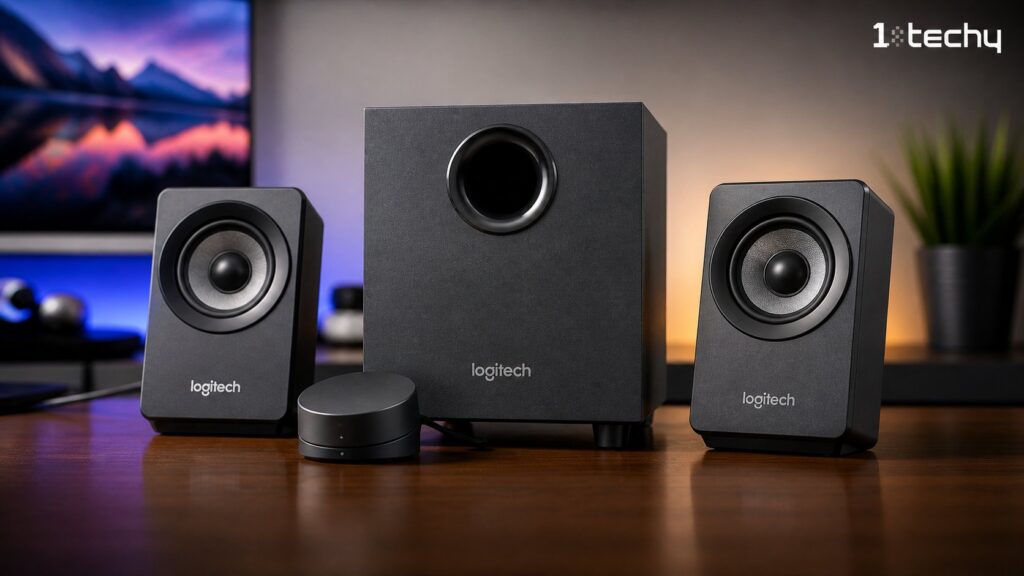
This 2.1 system is ideal for users who want physical bass during movie breaks or gaming sessions. Unlike the Bose Companion 2, the Z337 includes a dedicated subwoofer that pushes air under your desk for a true bottom-heavy sound profile.
The included wired desktop control pod is the best feature here. Having a physical dial on your desk means you never have to blindly reach behind the speaker cabinet to adjust the volume or pair a Bluetooth device. It keeps your setup clean and accessible.
Firing up a bass-heavy track, you’ll notice exactly what 40W of RMS power can do. The low-end response is thick, though the subwoofer casing vibrates against hard floors if you push the volume past 85 percent. Bluetooth pairing takes about two seconds, allowing you to seamlessly switch from PC audio to a podcast on your phone. If you are choosing between this and the Creative Pebble Plus, pick the Z337 if you care more about room-filling volume.
- Pros
- Dedicated control pod puts volume and Bluetooth pairing right at your fingertips.
- 40W RMS power delivers enough low-end punch to shake your feet.
- Bluetooth support lets you play audio from your phone without keeping your computer awake.
- Cons
- The bulky subwoofer demands dedicated floor space beneath your desk.
- Satellite cables are permanently attached and barely reach across a standard 60-inch standing desk, limiting placement options.
Buy this if: You want physical bass for media and the daily convenience of a desktop volume dial.
Skip this if: Your workspace is tiny and you absolutely cannot sacrifice floor space for a subwoofer.
Bose Companion 2 Series III – The king of vocal clarity and space-saving design
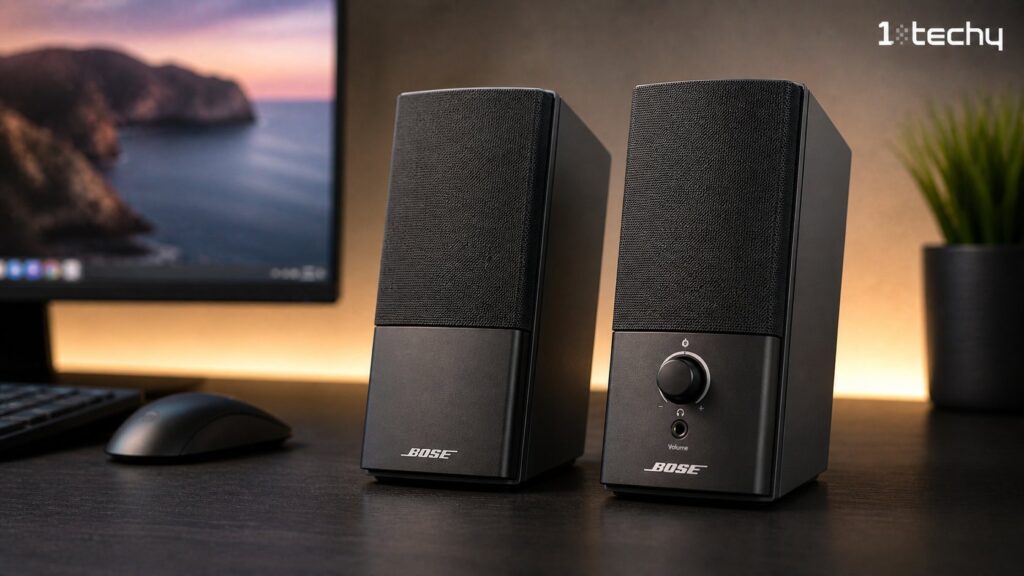
Professionals who need clean audio for endless meetings should look closely at this 2.0 setup. It takes a completely different approach from the Logitech Z337 by skipping the subwoofer entirely to save maximum space.
Bose relies heavily on its proprietary digital signal processing. This automatically adjusts the equalization curve based on your volume level, preventing the bass from completely disappearing when you turn the sound down to a whisper during late-night work sessions.
Placing these next to a dual-monitor setup, you’ll see their tiny physical footprint. The cabinets slope slightly upward to aim sound at your ears, making voices sound incredibly balanced and warm. The volume knob has a smooth, heavy resistance that feels premium. However, the lack of a dedicated bass unit becomes obvious when watching movies with heavy explosions. If you are choosing between this and the Edifier e10, pick the Bose for a more professional, understated office look.
- Pros
- Exceptional vocal clarity makes it the best choice for daily video calls.
- Dual rear inputs allow you to keep your computer and a tablet plugged in simultaneously.
- The upward-tilted cabinet design directs high frequencies straight to your ears.
- Cons
- Lacks a dedicated subwoofer, meaning action movie fans will miss out on deep physical rumble.
- The included power and input cables are unusually thin and prone to fraying.
Buy this if: You conduct daily video calls and prioritize a clean, professional aesthetic for your desk.
Skip this if: You primarily listen to hip-hop or electronic music that demands heavy low-end thump.
Creative Pebble Plus – The safest blind buy for extreme budget shoppers
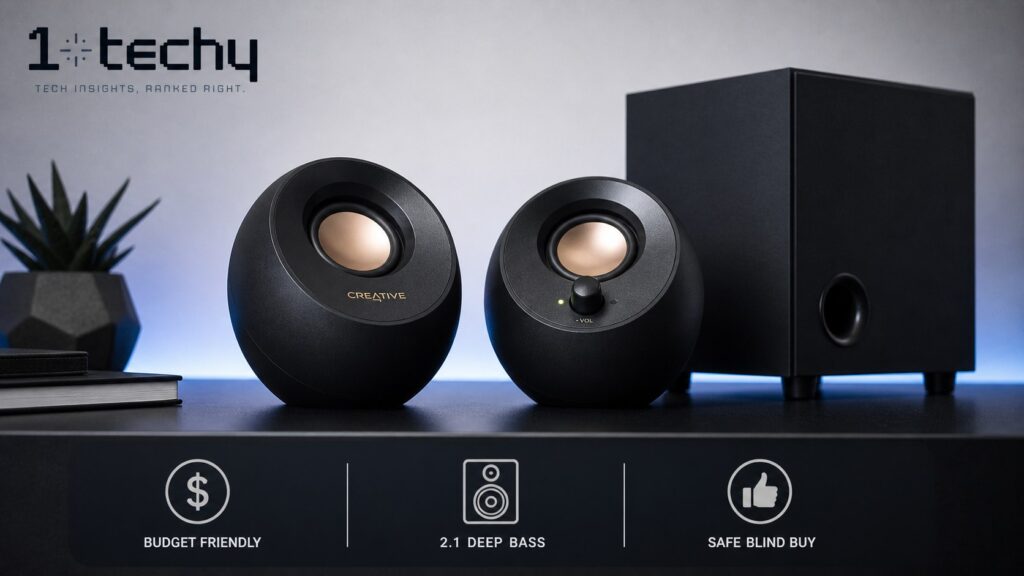
Buyers counting every dollar will find the Pebble Plus to be a massive upgrade over laptop audio. While it lacks the sheer room-filling volume of the Creative T20, it manages to offer a surprisingly deep 2.1 experience for less than half the price.
The spherical satellite design uses drivers angled precisely at 45 degrees. Pointing the audio directly at your head creates an accurate near-field stereo image that flat-faced speakers often struggle to replicate. Adding a down-firing subwoofer at this price point provides a level of depth that completely outclasses basic USB speakers.
Setting these up is slightly chaotic because of the sheer number of wires required for a USB-powered 2.1 system. Audio clarity is shocking for the price bracket, pulling out background instruments that laptop speakers erase. However, the subwoofer bottoms out and gets noticeably muddy if you push the dial past 75 percent volume.
- Pros
- USB power delivery eliminates the need for an extra wall outlet.
- 45-degree drivers’ angle sounds toward your ears rather than your chest.
- The price-to-performance ratio makes it the most cost-effective way to get a subwoofer.
- Cons
- Cable management is difficult because four different non-detachable cords tie the system together.
- Produces a faint crackling sound when powering the system off.
Buy this if: You are a student or a tight-budget buyer wanting a dedicated subwoofer for cheap.
Skip this if: You hate cable clutter or need audio loud enough to hear from the next room.
Edifier Exclaim e10 – The stylish alternative for deep bass without a subwoofer
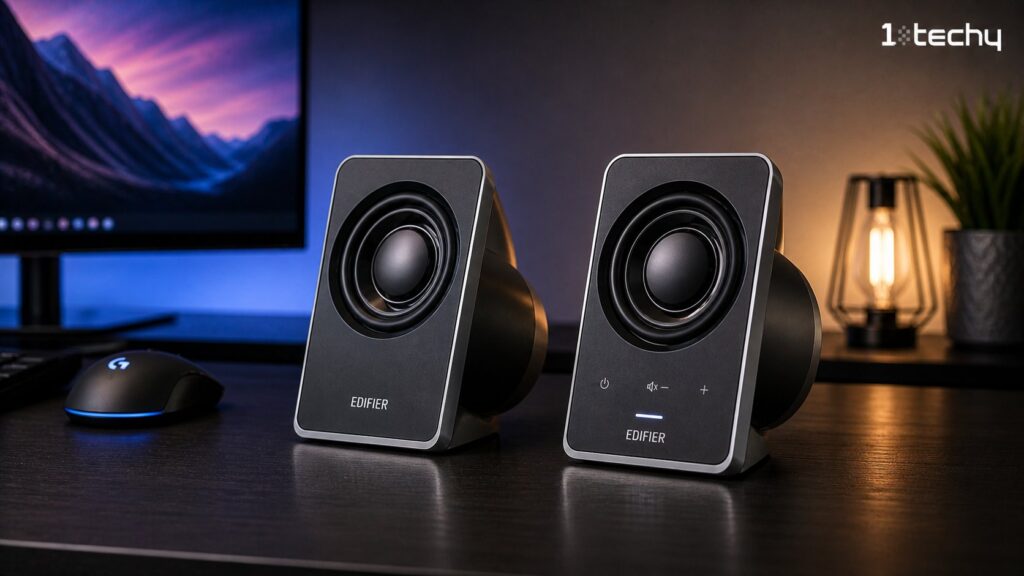
Design-conscious users who hate generic black boxes will immediately gravitate toward this unit. It competes directly with the Bose Companion 2 for the best 2.0 system, but takes a radically different visual and acoustic approach.
Edifier utilizes a bi-amped configuration within a striking two-piece tower design. This minimizes frequency crossover distortion by dedicating separate power channels to the tweeters in the silver neck and the 3-inch woofers in the black base.
Sitting in front of the e10s provides an incredibly punchy mid-bass response that genuinely tricks you into thinking a hidden subwoofer is in the room. The silver upper section is made of aluminum, giving the speaker a premium heft. Unfortunately, the side-mounted volume buttons feel cheap and require you to awkwardly grip the speaker to push them without knocking the top-heavy unit over.
- Pros
- Futuristic design utilizes premium aluminum materials that stand out on any desk.
- Integrated passive radiators provide shockingly deep bass in a 2.0 format.
- Bi-amped drivers offer better frequency separation, keeping vocals clean.
- Cons
- Side-mounted volume buttons feel cheap and are awkward to press.
- The tall and narrow footprint makes them incredibly easy to tip backward off a shaky desk.
Buy this if: You want a modern aesthetic and deep bass but have zero room for a subwoofer box.
Skip this if: Your desk wobbles frequently, because these top-heavy towers will easily topple over.
Creative GigaWorks T20 Series II – The undisputed choice for manual audio tuning
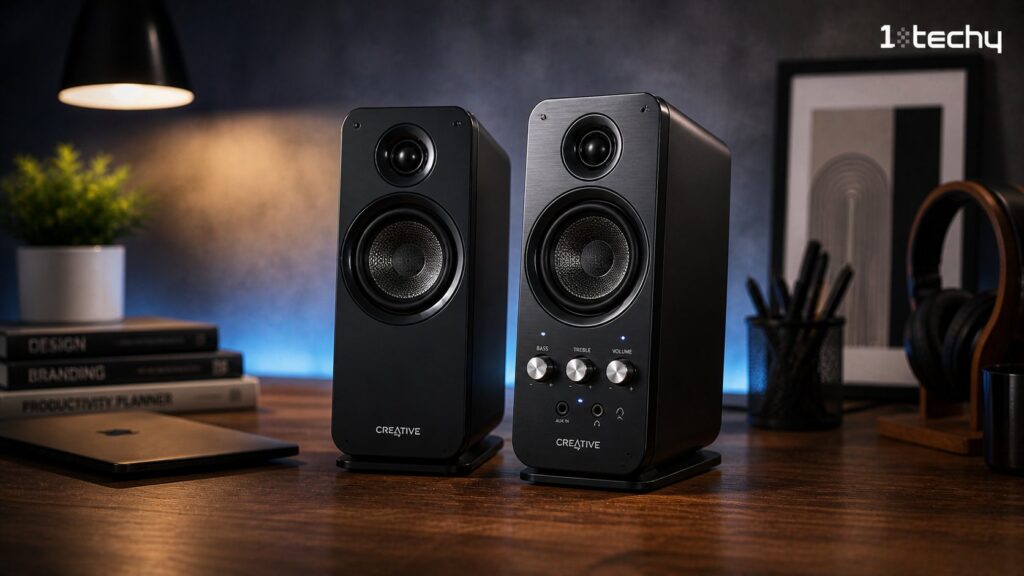
Audio tinkerers who want precise control over their sound profile will love this 2.0 system. It ditches the hidden digital processing of the Bose Companion 2 in favor of high-quality analog components and manual tuning dials.
The inclusion of woven glass fiber cone drivers elevates this unit above typical budget plastic speakers. Glass fiber is stiffer and lighter than standard paper cones, allowing the speaker to react faster and produce tighter mid-range frequencies without flexing under heavy volume.
Having dedicated bass and treble knobs on the front panel completely changes how you interact with your media. Rolling the bass knob down removes the low-end mud from poorly mixed podcasts, making voices incredibly clear. Be warned that the incredibly bright blue power LED is obnoxious enough to require a piece of electrical tape in a dark room. If you are choosing between this and the Logitech Z337, pick the T20 if you prefer vocal accuracy over booming bass.
- Pros
- Woven glass fiber drivers are incredibly durable and react faster than paper cones.
- Manual bass and treble dials allow you to instantly personalize audio tuning.
- Front-access headphone and auxiliary jacks make switching devices frictionless.
- Cons
- The incredibly bright blue power LED is highly distracting in dark rooms.
- The front headphone jack outputs a noticeably weaker signal than the main drivers.
Buy this if: You listen to a wide variety of music and want to manually tweak your EQ on the fly.
Skip this if: You want a discrete, invisible speaker setup, because the bright yellow drivers draw a lot of attention.
Comparison Table
| Product | System Type | Power (RMS) | Connectivity | Best For | Our Rating (/10) |
| Logitech Z337 | 2.1 | 40W | Bluetooth, 3.5mm, RCA | Gaming & Movies | 8.5/10 |
| Bose Companion 2 III | 2.0 | Undisclosed* | Dual 3.5mm | Professional Office | 8.0/10 |
| Creative Pebble Plus | 2.1 | 8W | USB, 3.5mm | Small Budgets | 7.5/10 |
| Edifier Exclaim e10 | 2.0 | 36W | 3.5mm | Modern Desk Setup | 8.0/10 |
| Creative T20 Series II | 2.0 | 28W | 3.5mm | Music Listening | 8.5/10 |
Note: Bose strictly refuses to publish RMS power metrics for any of their consumer audio products.
What to Avoid / Common Buyer Mistakes
- Chasing peak power over RMS wattage. Manufacturers use peak numbers to trick you into thinking a speaker is powerful. The consequence is buying a weak speaker that distorts at normal volumes. Always look at the RMS wattage to understand the true continuous volume capabilities.
- Ignoring the desk tax of a 2.1 system. Placing a subwoofer on a hollow tabletop instead of a solid floor causes the desk to resonate. The consequence is terribly muddy audio that vibrates your keyboard. Measure your floor space before committing to a unit with a subwoofer.
- Overpaying for aggressively styled gaming gear. Brands charge a premium for sharp plastic edges and RGB lighting strips, which eat into the manufacturing budget for audio drivers. The consequence is bad sound quality. You will get better audio by purchasing a boring, professional-looking speaker set.
Buying Guide
Making the right choice comes down to understanding your physical space and your primary listening habits. Deciding between 2.1 vs 2.0 speakers, which is better, ultimately depends on your tolerance for floor clutter. A dedicated subwoofer adds undeniable depth to action movies, but it demands space under your desk and can easily vibrate hard floors. Two-channel systems save space and generally offer tighter vocal clarity.
Power ratings are another major trap for budget buyers. Always look at the continuous RMS wattage rather than the completely fabricated peak power numbers slapped on the retail box. A solid 28W RMS system will consistently outperform a cheap plastic unit claiming 100W peak power. If you find yourself wanting more scale later, you might need to learn how to set up bookshelf speakers for desktop use instead.
Finally, consider your connectivity needs carefully. Wired connections are mandatory for zero-latency gaming and reliable video editing. Bluetooth is incredibly convenient for background music via your phone, but it introduces audio lag. Should you ever graduate to audio production, you will need to research the studio monitors vs bookshelf speakers difference, but standard wired connections are perfectly fine for normal desktop duties right now.
Final Recommendation
If you want physical bass for gaming and the convenience of a desktop volume dial, buy the Logitech Z337. If you conduct frequent video calls and require crystal clear vocals from a tiny physical footprint, buy the Bose Companion 2 Series III. If your budget is incredibly tight but you still demand a dedicated subwoofer, buy the Creative Pebble Plus. If you prefer to manually tweak your bass and treble profiles for different music genres, buy the Creative GigaWorks T20 Series II.
FAQs
Is the Logitech Z337 better than the Bose Companion 2 for gaming?
Yes. The Logitech Z337 is significantly better for gaming. Bose utilizes a 2.0 setup that provides excellent vocal clarity, but it completely lacks a subwoofer. Logitech delivers 40W of RMS power along with a dedicated bass unit, allowing you to physically feel explosions and heavy engine noises during gameplay.
What does RMS wattage mean for desktop speakers?
Root Mean Square (RMS) wattage measures the continuous power a speaker can handle without distorting the audio. Manufacturers often advertise peak power to make cheap speakers look impressive. You should completely ignore peak numbers and only use RMS wattage to compare the actual loudness and capability of different units.
Are computer speakers under $100 good for video editing?
Budget desktop speakers work well for basic YouTube editing and dialogue syncing. They lack the flat frequency response required for professional color grading or audio mixing. You can comfortably edit a vlog on these units, but you should double-check your audio levels with a good pair of headphones before publishing.
Do I need Bluetooth for my home office setup?
Bluetooth is entirely optional for a desktop setup. A wired 3.5mm connection provides better audio quality with absolutely zero latency. Wireless connectivity is only beneficial if you frequently want to listen to podcasts or music directly from your smartphone without keeping your main computer awake.


