
Your phone sounds fine. Your laptop sounds fine. Then someone online tells you that you are missing out because you do not have a dedicated DAC, and suddenly, you are reading reviews for $200 boxes that do one job.
Here is the thing: you already have a DAC. Every device that plays audio has one. The real question is whether the one inside your device is good enough for what you are trying to do.
This guide is for people who want a straight answer, not a two-hour rabbit hole into audiophile forums. Whether you are using budget headphones on a gaming PC or high-impedance cans on a MacBook, this will tell you exactly where you stand.
Quick Answer: What is a DAC?
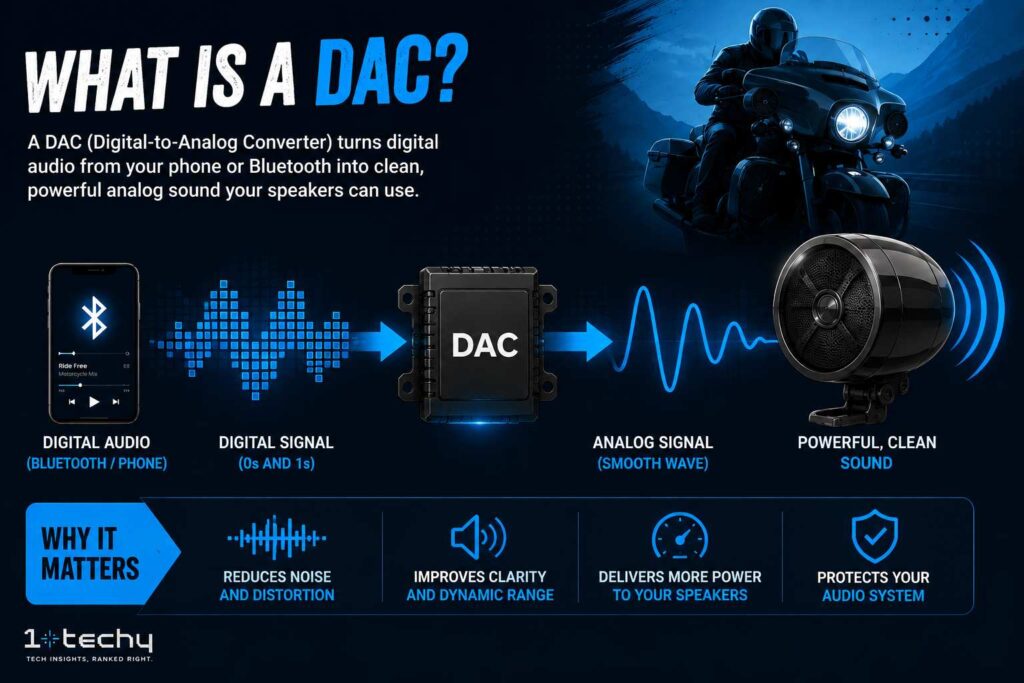
A DAC, short for Digital-to-Analog Converter, takes the digital audio signal (the 1s and 0s stored in your music file or streaming app) and converts it into an analog electrical signal that your headphones or speakers can actually produce as sound.
Your phone, laptop, PC, gaming console, and TV all have one built in right now. The question is not whether you have a DAC. It is whether the one inside your device is introducing noise, distortion, or not supplying enough power for your headphones.
Short answer: Most people do not need a separate DAC. Some do. Read on to find out which camp you are in.
What Your Device Already Has
Every device that plays audio has a DAC chip inside it. Your laptop’s headphone jack, your phone’s USB-C audio adapter, and your gaming PC’s motherboard audio all of them convert digital to analog before the signal reaches your ears.
The issue is not the chip. It is the neighborhood the chip lives in.
Inside a laptop or desktop PC, the DAC sits right next to Wi-Fi antennas, CPU voltage regulators, GPU power circuits, and USB controllers. All of that hardware produces electromagnetic interference (EMI). That interference leaks into the DAC’s analog output stage and shows up as audible hiss, a raised noise floor, or a thin, flat sound that gets worse when your CPU is under load.
This is the exact problem people describe in AudioScienceReview forums and Reddit’s r/audiophile threads: it is not that the DAC chip is bad, it is that the surrounding circuitry is electrically hostile to clean analog audio.
Some devices handle this better than others. MacBooks, modern iPhones, and the Nintendo Switch have surprisingly clean internal implementations. Many budget Windows laptops and mid-range gaming desktops do not. If you have ever heard a faint hiss when your music stops, that is the noise floor of your internal DAC telling you it is being pushed around by the rest of the motherboard.
A $9 Apple USB-C to 3.5mm adapter, a dongle that contains a Cirrus Logic DAC chip, consistently measures as well as desktop DACs costing 10x more. For users with efficient headphones or in-ear monitors, that $9 adapter is genuinely enough. The AudioScienceReview community has documented this extensively, and it holds up.
When a Separate DAC Makes a Difference
There are three specific situations where adding an external DAC will make a real, audible difference.
You can hear noise or hiss from your current output
If you plug in your headphones, turn up the volume with no music playing, and hear a hiss or static, your internal DAC has a noise problem. An external DAC lives in its own shielded chassis away from your motherboard. That physical separation alone kills most of the interference.
High-quality external DACs achieve a Signal-to-Noise Ratio (SNR) above 110 dB. Most consumer laptop audio comes in around 70 to 85 dB, enough to hear the noise at moderate volumes with sensitive headphones.
You are using high-impedance headphones
If you own headphones with an impedance of 150 ohms or higher, such as the Sennheiser HD 650, Beyerdynamic DT 880, or AKG K712, for example, your laptop’s headphone jack cannot drive them properly. The internal amplifier runs out of voltage before the headphones reach adequate volume, which means you also lose dynamic range and bass control.
This is where a dedicated DAC with a built-in headphone amp, or a separate amp, makes a clear and immediate difference. You will hear the headphones working the way they were designed to, not struggling against an underpowered output. If you want to understand how output power works in this context, the breakdown of RMS wattage is worth reading before you buy anything.
You are playing high-resolution audio files or mixing audio professionally
If your source files are 24-bit FLAC or DSD recordings and you are listening critically, the internal DAC on a budget device often cannot resolve the full dynamic range those files contain. A dedicated external DAC with proper clock control (asynchronous USB) eliminates timing errors, a problem called jitter, that smears fine detail in complex recordings.
Studio mixing and mastering is a different situation entirely. Audio engineers need absolute accuracy with no coloration. That requires a professional interface with balanced XLR outputs and a DAC designed for zero-measurement distortion, not a consumer device that adds even a little warmth.
When a Separate DAC Does Not Help
Most people who buy a DAC after reading forum recommendations do not actually need one. Here is when upgrading the DAC is not the right move.
- You are streaming from Spotify, YouTube Music, or Apple Music at default quality. Lossy compression at 256 to 320 kbps removes a significant amount of audio data before the signal ever reaches your DAC. An expensive DAC gives you a cleaner window into a compressed file; you are still looking at a compressed file.
- Your headphones are efficient and low-impedance (below 80 ohms). Most consumer earbuds, AirPods, and in-ear monitors have no trouble being driven by a phone or laptop output. Adding a DAC will not change what you hear.
- You are using a modern MacBook, iPhone, or a device with a well-implemented internal audio chain. Apple’s hardware measures clean. Many people in Head-Fi beginner threads discover, after buying an external DAC, that it sounds identical to their MacBook’s output on the headphones they have.
- Your actual bottleneck is your headphones, not your DAC. If you are running a $30 pair of headphones, a DAC upgrade will do nothing. Fix the transducer first.
A common observation from long-time Head-Fi members: most people asking ‘do I need a DAC?’ would benefit more from spending the same money on better headphones. That is not a dig; it is just physics. The transducer matters more than the source chain in most real-world setups.
DAC vs. DAC/Amp Combo: Which Should You Buy?
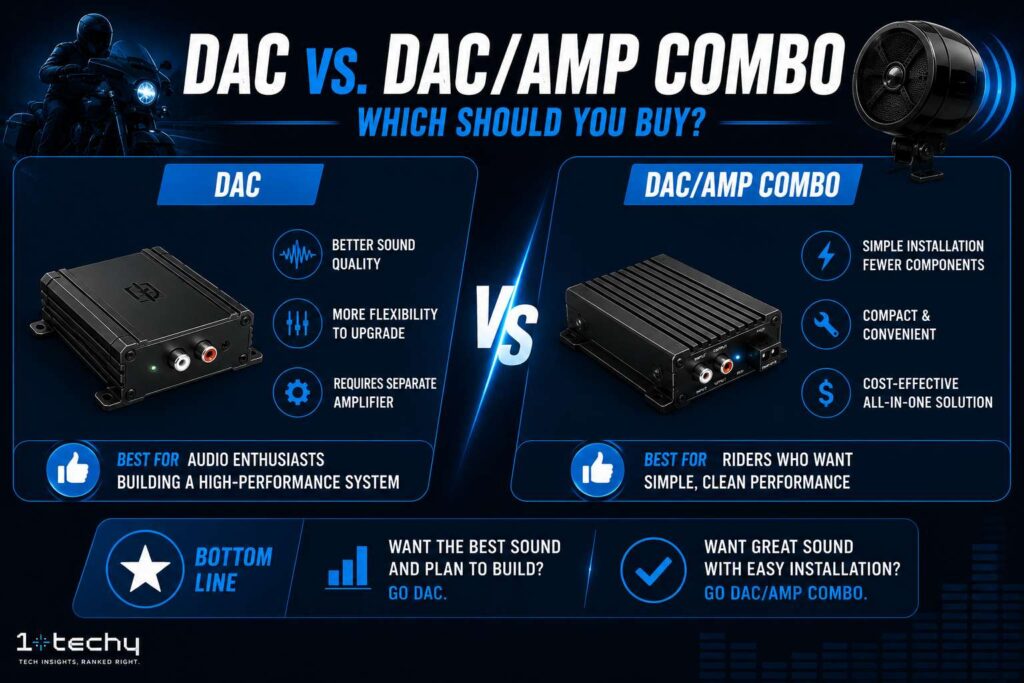
If you have decided you do need an external DAC, the next choice is whether to buy a standalone DAC, a DAC/amp combo, or a separate DAC and amp.
For most desktop headphone users, the answer is a DAC/amp combo. These are single units that handle both digital conversion and headphone amplification. The iFi Zen DAC 3 and FiiO K7 are popular examples. They cost less than separates, take up less desk space, and the two circuits are designed to work together, which eliminates impedance matching guesswork.
Standalone DACs make sense when you already own a good amp and just need to upgrade the conversion stage, or when you are feeding a set of powered speakers or a stereo receiver that handles its own amplification.
If you are building a speaker system and wondering where the DAC fits in the chain alongside an amplifier and receiver, the full comparison of DAC vs amp vs receiver lays out exactly what each component does and which order they sit in.
For home speaker setups specifically, many good stereo receivers already include a built-in DAC with digital inputs. If your receiver has an optical or coaxial input and sounds clean to you, you likely do not need a separate DAC at all.
Budget Entry Points: What to Actually Buy
The DAC market has matured quickly. You can reach audible transparency, the point where no further upgrade is detectable to human ears, for well under $200 in 2026. Here is where things actually stand:
| Model | Type | Price (approx.) | Best For |
| Apple USB-C Dongle | Portable | $9 | IEMs, efficient headphones on Mac/phone |
| iFi Go Link Max | Portable | $79 | Portable use, balanced 4.4mm output |
| Schiit Modi 3E | Desktop | $129 | Entry desktop DAC, straightforward, reliable |
| iFi Zen DAC 3 | Desktop DAC/Amp | $199 | Most headphone users are great all-rounder |
| FiiO K7 | Desktop DAC/Amp | $229 | High-impedance headphones, extra power |
| Chord Mojo 2 | Premium Portable | $600 | Serious portable listening, FPGA-based |
The AudioScienceReview measurement community consistently shows that units from Topping, SMSL, JDS Labs, and Schiit at the $100 to $200 range hit the same measured performance ceiling as products costing five times more. Beyond $200 in this category, you are mostly buying features (balanced outputs, Bluetooth, MQA support) or build quality, not audibly better conversion.
If you want to go deeper on what separates good from great at each price point, the full roundup of the best DACs breaks down the options with specific recommendations by use case.
FAQs about DAC
Will adding a DAC make my music sound better?
It depends on your current setup. If your device has a noisy output or you are using high-impedance headphones that are not being driven properly, yes, you will hear a real improvement. If your device already has a clean internal DAC (like a recent MacBook or iPhone) and your headphones are efficient, probably not. The improvement will be minimal to nonexistent.
Do I need a DAC if I use Spotify?
Generally, no. Spotify streams at up to 320 kbps AAC. Lossy compression at that bitrate removes audio data that cannot be recovered. An external DAC can only work with what it receives. If the source is compressed, the DAC converts that compressed signal cleanly, but it cannot add back what compression removed. This changes if you switch to a lossless streaming tier.
Is a DAC the same as a sound card?
Not exactly. A USB or external sound card typically includes a DAC, a headphone amplifier, and sometimes a microphone input in one package. A standalone DAC only handles digital-to-analog conversion. The term ‘sound card’ is used loosely, especially in gaming contexts, but most USB ‘sound cards’ are really DAC/amp combos under a different name.
What impedance headphones need a dedicated DAC or amp?
Anything above 150 ohms will benefit from a dedicated headphone amp, which usually comes paired with a DAC. Below that, it depends more on sensitivity (measured in dB/mW) than impedance alone. A 32-ohm headphone with low sensitivity can still be hard to drive. Check the sensitivity spec; if it is below 90 dB/mW, plan for an amp regardless of impedance.
Can a DAC replace my receiver?
No. A DAC converts digital audio to analog; it does not amplify the signal enough to power speakers. You still need an amplifier or receiver in the chain. A DAC feeds into an amp, which then powers the speakers. If your receiver has digital inputs and sounds clean, it already has a DAC inside it, and you may not need a separate one at all.


