
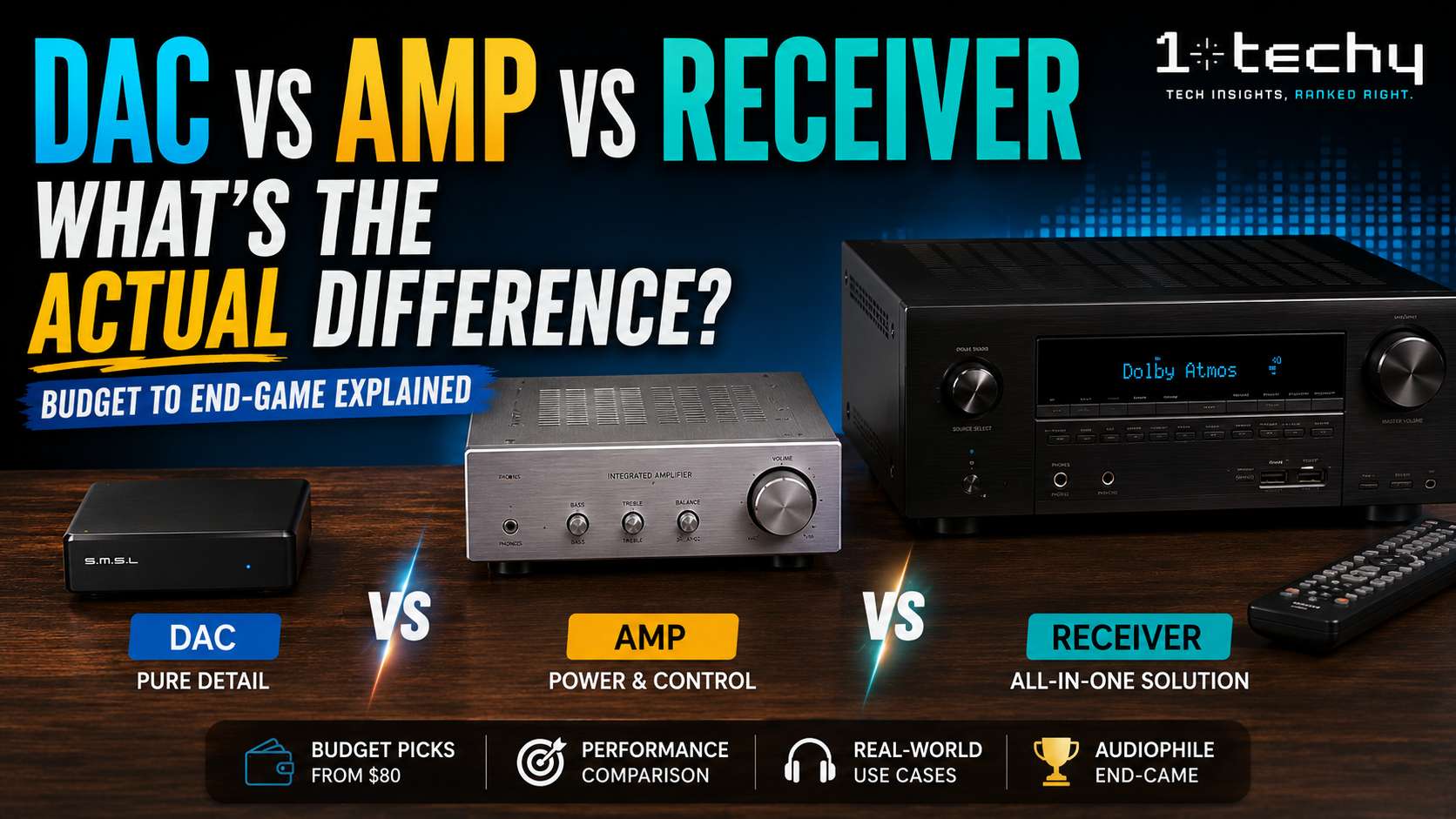
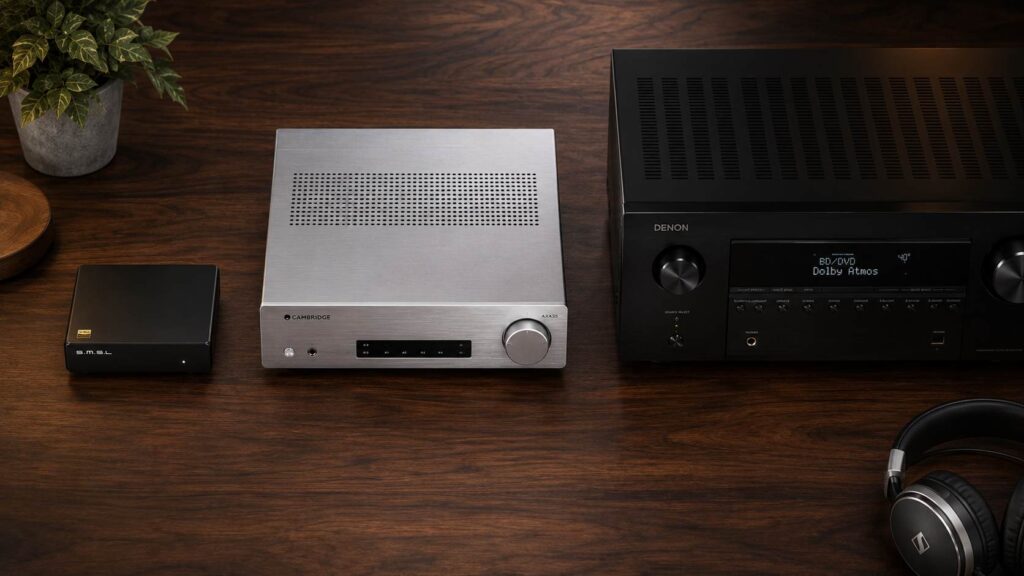
You search for a way to get better sound from your TV or PC. Within ten minutes, you’re staring at three different boxes, a DAC, an amp, and a receiver, and every forum thread gives a different answer about what you actually need. Most explanations start with physics equations. This one won’t.
Each of these components does one specific job in your audio chain. Understanding those jobs, not the specs, is what helps you buy the first time correctly. The confusion almost always comes from the fact that a receiver bundles all three functions into a single box, which makes it look like the obvious choice until you realize what that bundling costs you.
This guide is written for people who want better sound but don’t have an engineering degree: the home office worker upgrading from laptop speakers, the TV viewer tired of thin dialogue, the music fan who just bought their first pair of bookshelf speakers, and who has no idea what to plug them into.
Quick Answer (30 Seconds)
A DAC converts digital audio (from your phone, computer, or streaming device) into an analog signal. An amp takes that analog signal and makes it powerful enough to move speaker drivers. A receiver does both, plus adds a tuner and, in AV models, multi-channel processing for home theater. Most people who want simple music playback need a DAC and an amp (or a receiver that does both well). Most people who want a full home theater need a receiver.
- If your priority is music, choose a dedicated DAC paired with a stereo amp or integrated amp.
- If your priority is home theater, choose a modern AV receiver.
- If your priority is headphone listening from a PC, a DAC/amp combo is the right call.
What Each Component Actually Does
The DAC: The Translator
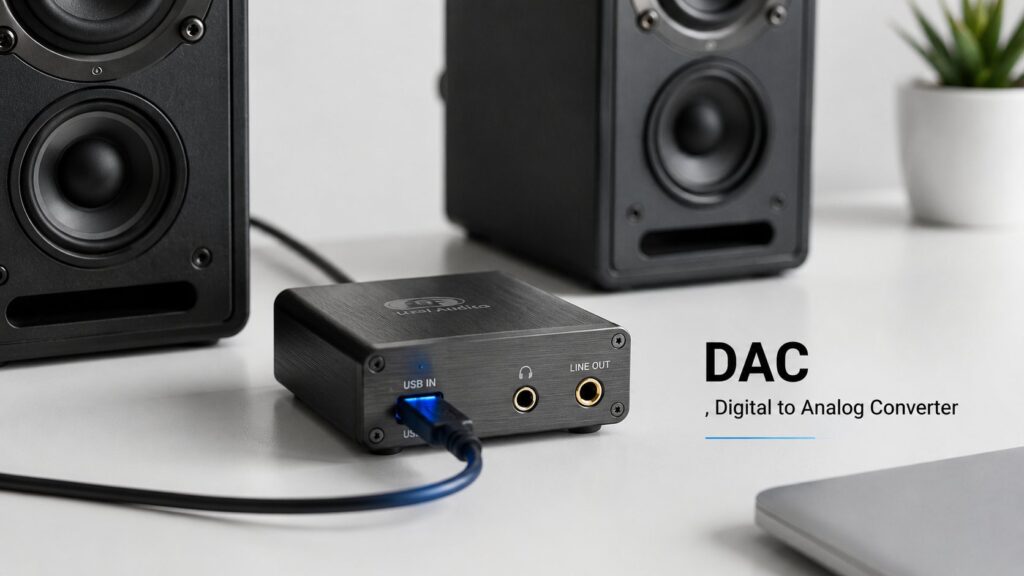
Every digital audio file, whether it’s a Spotify stream, a FLAC file, or a YouTube video, is just a string of numbers. Your speaker cannot play numbers. It needs a continuously moving electrical wave. A DAC (Digital-to-Analog Converter) is the circuit that does that translation.
Your phone, laptop, and TV all contain a built-in DAC. The problem is that these internal DACs share a circuit board with Wi-Fi radios, processors, and power regulators that generate electrical noise. That noise bleeds into your audio signal, showing up as a faint hiss or a subtle muddiness, especially audible through high-quality headphones or sensitive speakers.
An external DAC sits in its own shielded box with a dedicated power supply. It eliminates that interference at the source. The result isn’t necessarily a “warmer” or “more musical” sound; it’s a cleaner, quieter background that lets the recording speak for itself.
At low listening volumes on a laptop, a bad internal DAC sounds fine. The noise becomes obvious only when you connect a high-sensitivity speaker (above 90 dB/W/m) or a high-impedance headphone. If your speakers are modest and your listening volume is moderate, the internal DAC in your receiver or TV may be completely adequate.
Want to compare external DACs side by side? Our best DAC guide for 2026 covers the top-performing units across every budget bracket, including measurements sourced from AudioScienceReview.
The Amp: The Muscle
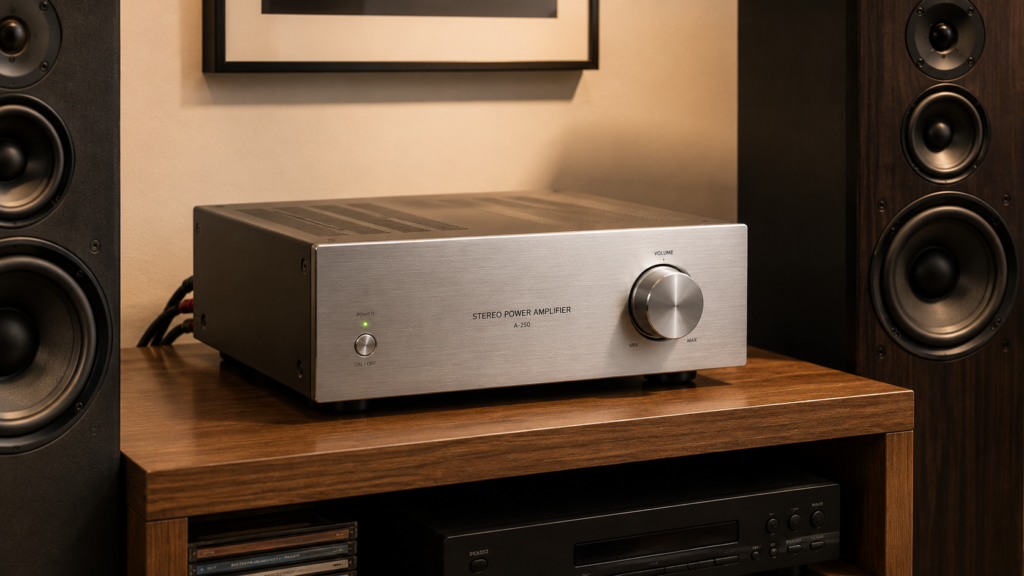
A DAC produces a signal, but that signal is tiny, typically around 2 volts. Your speaker driver needs much more electrical force than that to physically move air and create sound. An amplifier takes the line-level signal from the DAC and boosts both voltage and current until the speaker can work with it.
This is why pairing matters. A great DAC connected to an underpowered amp will still sound bad on demanding speakers. The amp is the component that physically drives the speaker, and a speaker’s impedance, measured in ohms, determines how hard the amp has to work.
An 8-ohm speaker is relatively easy to drive. A 4-ohm speaker demands significantly more current from the amplifier. If the amp can’t supply that current cleanly, bass notes become loose, dynamics flatten, and at high volumes, you’ll hear distortion, not from poor recording quality, but from the amp running out of headroom.
Most people buying their first amp focus on wattage. That’s the wrong metric. A well-designed 50W amplifier into a stable load outperforms a poorly built 200W unit under real listening conditions. Look at the current delivery and damping factor, not just the watts on the box.
The Receiver: The All-in-One Hub The Amp: The Muscle
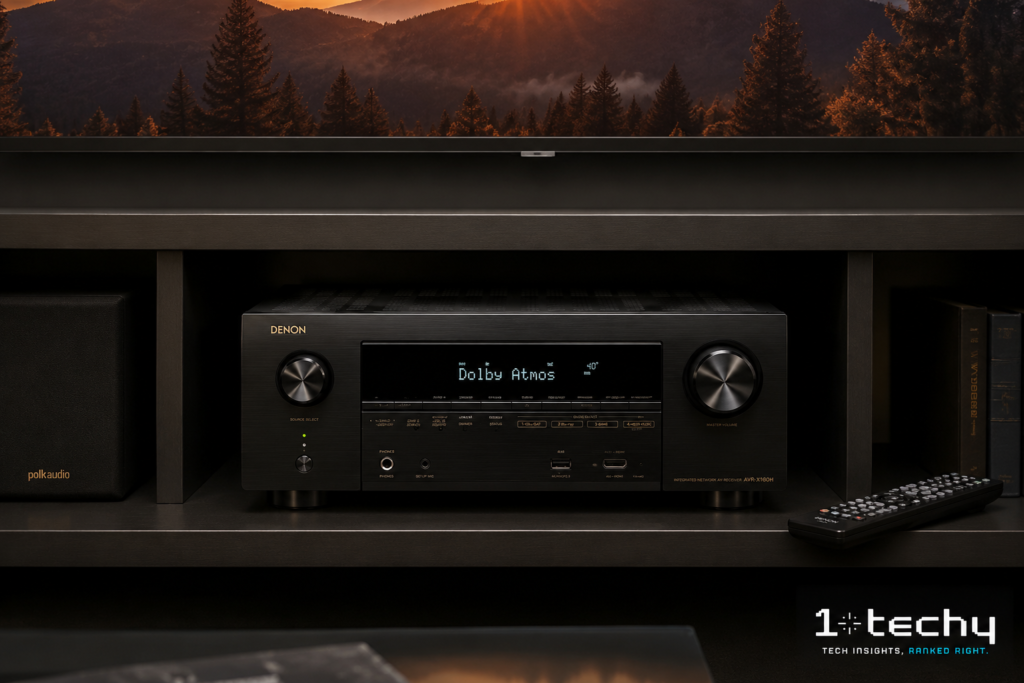
A receiver is simply a DAC, a preamplifier, a power amplifier, and a radio tuner packed into one chassis. AV (audio-video) receivers go further; they add multi-channel decoding for Dolby Atmos and DTS:X, HDMI switching, video processing, and room correction software.
The convenience case for a receiver is obvious: one box, one power cable, one remote. For most home theater setups, it’s genuinely the right choice. The trade-off is that every component in that box shares a power supply and a physical enclosure.
The digital processing boards, the amplifier stages, and the HDMI circuits all generate electrical noise inside the same chassis. Most people never hear the difference. People with high-sensitivity speakers or very quiet listening rooms sometimes do.
The other thing receivers trade is upgradeability. When you want a better DAC in a separate system, you buy a better DAC. When you want a better DAC in your receiver, you buy a new receiver.
A stereo receiver is optimized for two-channel music. An AV receiver prioritizes multi-channel cinema. They look similar on a shelf, but their internal component quality, especially the amp section, is built to completely different standards. Don’t buy a 9-channel AV receiver hoping it will serve as a great stereo music amp. It probably won’t.
How the Signal Chain Works (And Why Order Matters)
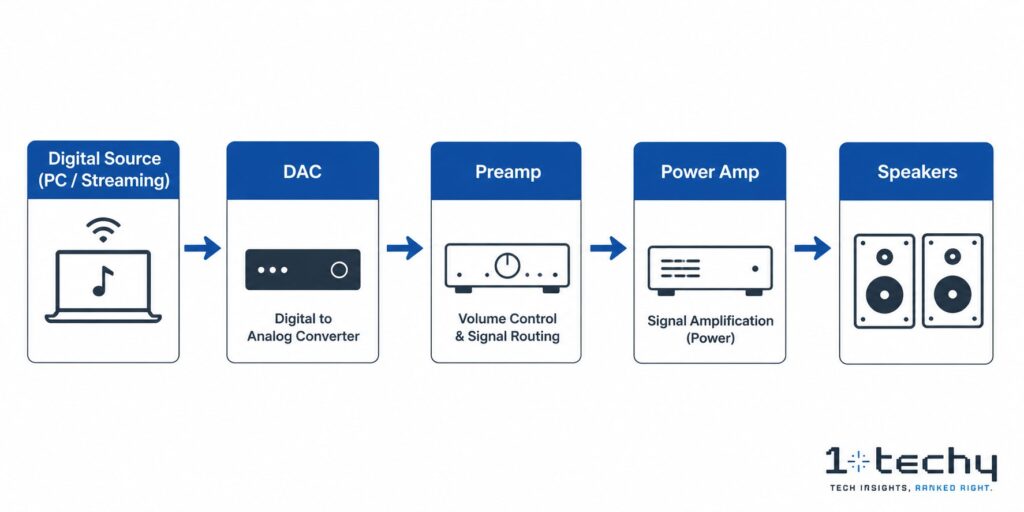
The audio signal moves in one direction: from the source to the speakers. Understanding that chain helps you figure out where a problem lives and which component you need.
- Digital source (computer, phone, streaming device) sends a digital signal (USB, optical, HDMI) to the DAC.
- The DAC converts it to an analog voltage (typically 1–2V RMS) and sends it to the preamp.
- The preamp handles volume control, input selection, and impedance matching, then passes the signal forward.
- The power amplifier boosts that signal to the watts needed to drive speakers.
- The speakers convert electrical energy into mechanical movement: sound.
In a receiver, steps 2 through 4 happen inside the same box. In a separate component system, each step happens in its own dedicated unit. That’s the entire debate, integrated vs. separate, and neither is universally better.
Key Differences: DAC vs Amp vs Receiver
1. What Each One Actually Does
A DAC converts. An amp drives. A receiver does both and adds connectivity. That’s the hierarchy. Combine them in order, and you have a full audio system. Use a receiver alone, and you have a full audio system in one box.
2. Who Each One Is Built For
DACs are for people who have a source (computer, streamer) and a separate amp or powered speakers, and who want to improve the quality of the digital conversion step. Amps are for people who have passive speakers (speakers with no built-in amplifier) and need to power them. Receivers are for people who want one box that does everything, especially if home theater is involved.
3. Where Each One Lives in the System
A DAC always comes before the amp in the signal chain. An amp always comes before the speakers. A receiver replaces the DAC, preamp, and amp simultaneously, and for AV receivers, it also replaces the HDMI switcher for most home theater setups.
4. How Much Control You Have Over Quality
In a separate system, you can upgrade the DAC without touching the amp, and vice versa. In a receiver, the DAC and amp are the same budget line item. If you want a better DAC, you need a new receiver. This matters over five years as technology changes.
Comparison Table
| Feature | DAC | Stereo Amp | AV Receiver |
| Primary function | Converts digital to analog | Yes, that IS the product | DAC + Preamp + Amp + Tuner |
| Built-in amplifier | No | Yes | Yes (multi-channel) |
| Built-in DAC | Yes , that IS the product | Sometimes (integrated amps) | Yes (internal, shared resources) |
| HDMI inputs | Rarely | Never | Yes (AV receivers) |
| Multi-channel audio | No (typically stereo) | Stereo only | Yes (up to 13.2 channels) |
| Room correction | No | No | Yes (Audyssey, Dirac, YPAO) |
| Upgradeable | Yes, replace independently | No, one box, one upgrade | No , one box, one upgrade |
| Best for | PC/desktop, headphone systems | Hi-fi two-channel music | Home theater, TV audio |
| Price range (2026) | $30 to $3,000+ | $150 to $5,000+ | $200 to $4,000+ |
When You Should Use Each One
Use a DAC If…
- You’re listening through a computer or laptop and hear background hiss through your headphones or speakers.
- You want to play hi-res audio files (24-bit/96kHz or higher) that your phone’s internal DAC can’t handle cleanly.
- You already have a stereo amp or powered speakers and want to improve the source quality without replacing everything.
- You run a desktop audio setup where your PC is the source and a separate amp powers the speakers.
Use a Stereo Amp or Integrated Amp If…
- You bought passive bookshelf or floor-standing speakers (they have no built-in amp).
- Music is your primary use case, and you want the best two-channel sound your budget allows.
- You already have a DAC or are using a source with a clean built-in DAC (a high-quality streamer or CD transport).
Use a Receiver If…
- You want a surround sound home theater setup with 5.1, 7.1, or Atmos channels.
- Your TV is the center of the system, and you need HDMI switching to manage multiple devices.
- You want simplicity, one box, one remote, one warranty, one power cable.
- You’re a beginner who doesn’t want to worry about matching separate components.
When You Should NOT Use Each One
Don’t Buy a Standalone DAC If…
Your speakers are powered (they have a built-in amp, the type you plug directly into the wall). A powered speaker already contains its own DAC and amp. Adding an external DAC may improve quality at the margins, but the bigger bottleneck is almost certainly the speaker itself, not the conversion step.
Don’t Buy a Separate Amp If…
You’re powering efficient speakers in a small room at moderate volumes. The internal amp in a decent AV receiver or even a quality soundbar will be sufficient. A separate power amp earns its place when you’re running power-hungry floor-standing speakers or when the receiver’s amp section is clearly the weakest link in the chain.
Don’t Rely Solely on an AV Receiver for Serious Music Listening If…
Music quality is your primary goal. AV receivers split their component budget across seven or more channels, video processing circuits, HDMI boards, and wireless radios. The amplifier section for stereo music in a $500 AV receiver typically receives less than a tenth of the budget that a $500 dedicated stereo integrated amp would put into its two channels.
This is the most common mistake in the audiophile starter setup. Someone buys a $400 AV receiver thinking it will do everything well, then wonders why their music sounds compressed and lifeless. It’s not the receiver’s fault; it was built for cinema, not for extracting every nuance from a jazz recording.
The Hidden Trap: When Your Receiver Cancels Out Your DAC
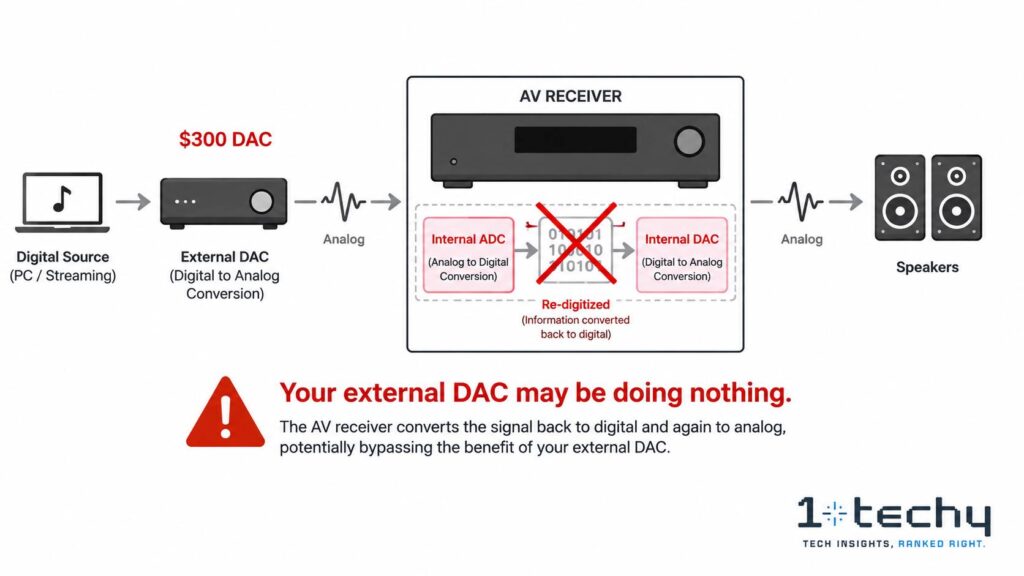
Here’s something the spec sheets don’t mention: if you connect an external DAC to most modern AV receivers, the receiver will often re-digitize your analog signal.
This happens because AV receivers need the signal in digital form to apply room correction (Audyssey, Dirac, YPAO) and bass management. To do that, they run your incoming analog signal through an internal Analog-to-Digital Converter (ADC), process it digitally, and then convert it back to analog through their own internal DAC.
Your $300 external DAC just became decorative.
The only way around this is a feature called Pure Direct or Analog Bypass mode. This setting tells the receiver to skip its digital processing entirely and route your analog signal straight to the power amplifier. It works, but you lose room correction, subwoofer crossover management, and any other DSP features.
In a treated room with well-matched speakers, Pure Direct mode is a valid choice. In a typical living room with parallel walls and a corner subwoofer, room correction software improves sound quality far more than an external DAC will. This is a trade-off the Head-Fi community discusses frequently, and there’s no universal answer; it depends entirely on your room.
Common Mistakes to Avoid
1. Buying a DAC Before Upgrading Your Speakers
The speaker is the largest single determinant of sound quality in any system. A $50 DAC improvement on a $600 speaker system is more audible than a $600 DAC improvement on a $50 speaker system. Always prioritize transducers over electronics.
If you’re starting from scratch, consider powered speakers first. They bundle DAC, amp, and speaker into one unit. Our powered speaker guide covers the best options for desktop and small room setups.
2. Confusing Peak Power and RMS Power
A receiver rated at “200W per channel” in marketing materials is rarely delivering 200W continuously. That number is peak power under ideal (often single-channel, high-distortion) conditions. The number that matters is continuous RMS power into the speaker’s actual impedance (4 or 8 ohms), measured with all channels driven simultaneously.
A receiver rated at 80W RMS per channel with all seven channels driven is a more honest and more powerful product than one claiming 200W peak with only two channels active.
3. Buying a Receiver Because It’s the Familiar Option
Receivers are visible. They’re in every electronics store and every Best Buy display. Stereo integrated amps and external DACs are less familiar. But for a two-channel music setup, especially a desktop system, a quality integrated amp and a DAC will almost always outperform a same-budget AV receiver for music listening. The integrated amp puts its entire budget into two channels. The receiver splits it eight ways.
4. Ignoring Impedance Matching
If your speakers are rated at 4 ohms and your amp is only rated “into 8 ohms,” you’re running the amp outside its design parameters. It will work, but it will run hot, the damping factor will drop, and bass control will suffer. Always check that your amp is rated to drive your speaker’s impedance before buying.
Buying Guide: The Three Decisions That Actually Matter
Decision 1: Do You Need a Receiver, or Do You Need Separates?
If home theater is involved, multiple surround channels, TV as the primary video source, HDMI device management, a receiver is the practical answer. Full stop.
If music is the primary use case and you’re building a two-channel system, separate components almost always perform better at the same price point. Our best stereo receivers guide includes options that bridge both worlds, including models with HDMI ARC for TV connectivity without full AV receiver complexity.
Decision 2: Do You Actually Need an External DAC?
Test your current system first. Connect your best source (a phone or laptop) to your current output device and listen carefully at a quiet volume through your headphones or speakers. If you hear no hiss, no background noise, and no digitized grain in vocals, your current DAC is probably adequate.
If you do hear noise, especially through sensitive headphones or high-efficiency speakers, an external DAC will help. For a desktop PC setup where your motherboard is generating interference, an external DAC is frequently the single most impactful upgrade under $100.
Decision 3: Powered Speakers vs. Passive + Amp
Powered speakers (sometimes called active speakers) are self-contained; they have built-in amplification and sometimes a built-in DAC. They’re excellent for desktops and small rooms. Passive speakers require a separate amp. They offer more upgrade flexibility and typically better performance at the high end of each price tier, but add complexity and cost.
A Note on Measurements (Without the Jargon)
You’ll see two measurements cited on forums like AudioScienceReview when comparing DACs and amps. Here’s what they mean in plain terms:
- SINAD (Signal-to-Noise and Distortion Ratio): Higher is better. A SINAD above 100 dB means the device is adding noise and distortion so far below your music signal that the human ear cannot detect it under any normal listening condition. Most decent modern DACs achieve this. It’s a transparency benchmark, not a “sound quality” score.
- THD+N (Total Harmonic Distortion plus Noise): Lower is better. Below 0.01% is generally inaudible on music. This matters more for amplifiers than DACs, because amps work under varying load conditions, pushing harder when bass demands more current, and distortion can rise as the amp approaches its limits.
The practical takeaway from years of ASR measurement threads: most modern DACs above $100 are “transparent”, meaning the DAC chip is not the bottleneck. The amplifier stage, the speaker, and the room acoustics will determine far more of what you hear than DAC chip differences between mid-range units.
Final Recommendation
If you’re building a desktop headphone setup, buy a dedicated DAC/amp combo; it eliminates PC interference and gives your headphones the current they need.
If you’re building a two-channel music system with passive speakers, buy a quality integrated amp; add a standalone DAC only if your source has a noisy output.
If you’re building a home theater, buy a modern AV receiver and stop second-guessing it. The multi-channel decoding, room correction, and HDMI switching are worth the trade-off in two-channel fidelity for 95% of users.
If you already have a receiver and want better music quality, enable Pure Direct mode before spending money on an external DAC; you may already have what you need.
And if you’re starting with absolutely nothing: speakers first, always. Electronics serve the speakers. The best DAC in the world sounds mediocre through a poor transducer, and the best transducer reveals everything about the electronics behind it.
FAQs about DAC vs amp vs receiver difference
Is a DAC better than a receiver for music?
A standalone DAC is not better than a receiver; it’s a different component that does a different job. A DAC converts digital signals to analog. A receiver converts, amplifies, and routes audio. For serious two-channel music, a quality DAC paired with a dedicated stereo amp typically outperforms a same-budget AV receiver because the receiver’s amp section is split across multiple channels.
Do I need a DAC if I already have a receiver?
Probably not, unless your receiver is several years old, you’re using high-sensitivity speakers, or you hear audible noise during quiet passages. Most modern AV receivers include competent internal DACs. The gain from adding an external DAC is often negated if the receiver re-digitizes incoming analog signals for DSP processing, which most do unless Pure Direct mode is active.
Can I use an amplifier without a DAC?
Yes, if your source is analog. A turntable with a phono preamp, a cassette deck, or any analog output device connects directly to an amp without needing a DAC. You only need a DAC when your source is digital (computer, phone, streaming device, CD player via optical/coaxial, or TV via HDMI ARC).
What is the difference between a stereo receiver and an AV receiver?
A stereo receiver amplifies two channels (left and right) and includes a radio tuner. An AV (audio-video) receiver adds multi-channel amplification (5.1 to 13.2 channels), HDMI switching, video processing, and surround sound decoders like Dolby Atmos and DTS: X. Stereo receivers typically deliver better two-channel music performance at the same price; AV receivers are essential for home theater.
Are separate DAC and amp components worth it over a receiver?
For home theater: no. A quality AV receiver is purpose-built for that use case, and a separate DAC adds complexity without proportional benefit. For dedicated two-channel music: usually yes, especially above $500 total budget. A $500 integrated amp puts its entire investment into two channels; a $500 AV receiver divides that budget across seven channels, video processing, and wireless radios


